October 21, 2026
BlogMicrosoft Wants to Monetize What You Make


Microsoft is rolling out more and more Copilot tools that make it easier for regular users to build apps and agents. There could be real productivity gains here. But there’s a catch that deserves more attention: Microsoft is increasingly charging users while they build, not just when they use what they built.
That’s an important change.
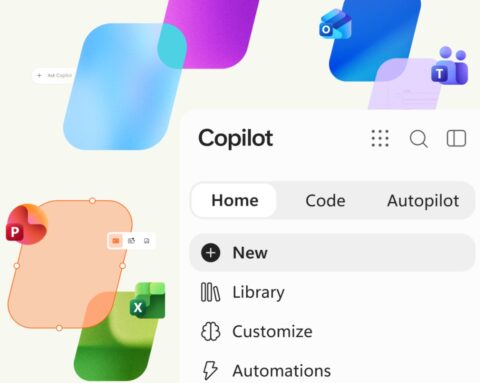
Two of Microsoft’s newer Copilot tools put app building directly in the hands of everyday users. Copilot Code, part of the new Copilot “super app,” will be able to create AI solutions (it’s in Frontier preview now). Meanwhile, Cowork’s /app command creates apps, consuming credits as users create, refine and publish solutions. Additionally, with the GitHub Copilot harness in Copilot Studio, introduced in September, usage-based billing can apply while users are building, testing and evaluating apps and agents.
In other words, the meter can start running while you’re still figuring out what you want to make.
Building Is Messy
Anyone who has developed software knows that you rarely get it right the first time. You try something, change it, test it, break it and try again.
AI opens up that process to people who don’t necessarily think of themselves as developers. That’s part of the appeal. But if parts of that experimentation consume Copilot Credits, it also creates a new cost problem.
Instead of development spending being concentrated among developers and development teams, potentially many more employees can generate it simply by experimenting with these tools.
Microsoft does provide controls to monitor spending, establish usage thresholds and configure spend policies. The challenge is making sure those controls keep pace as Microsoft puts development tools in front of more users.
And the Meter Doesn’t Necessarily Stop There
Building the app can be only part of the cost.
Microsoft’s Copilot Managed Runtime, currently in preview, can host, run and manage apps built using Copilot Code, Cowork and Copilot Studio, among other tools. Hosting, runtime and management can also consume Copilot Credits.
All this means that organizations need to re-think two common product questions: What does it cost to make something, and what does it cost to keep it running? Neither is particularly easy to predict when AI consumption and user experimentation are involved.
Where Does Copilot Go From Here?
Microsoft still says it is committed to the per-user Copilot subscription. But as we’ve seen, some of its newer creation capabilities require Copilot Credits on top of that subscription.
My bet is that Microsoft eventually includes some amount of Copilot Credits with the Copilot license. That would lower the barrier to trying these new metered features while still giving Microsoft a way to charge heavier users. It would also follow a model already familiar in the AI industry and used with GitHub Copilot. Microsoft has already indicated that Copilot licensing will evolve. The question may be less whether credits become part of the license and more about how many Microsoft includes before the meter starts running.
But the bigger change is already here. Microsoft isn’t just monetizing the AI people use. It’s starting to monetize what they make with it.